Note
Hello, welcome to the SunFounder Raspberry Pi & Arduino & ESP32 Enthusiasts Community on Facebook! Dive deeper into Raspberry Pi, Arduino, and ESP32 with fellow enthusiasts.
Why Join?
Expert Support: Solve post-sale issues and technical challenges with help from our community and team.
Learn & Share: Exchange tips and tutorials to enhance your skills.
Exclusive Previews: Get early access to new product announcements and sneak peeks.
Special Discounts: Enjoy exclusive discounts on our newest products.
Festive Promotions and Giveaways: Take part in giveaways and holiday promotions.
👉 Ready to explore and create with us? Click [here] and join today!
Fans
Active Cooler
The Active Cooler on the Pironman 5 NAS is controlled by the Raspberry Pi system.
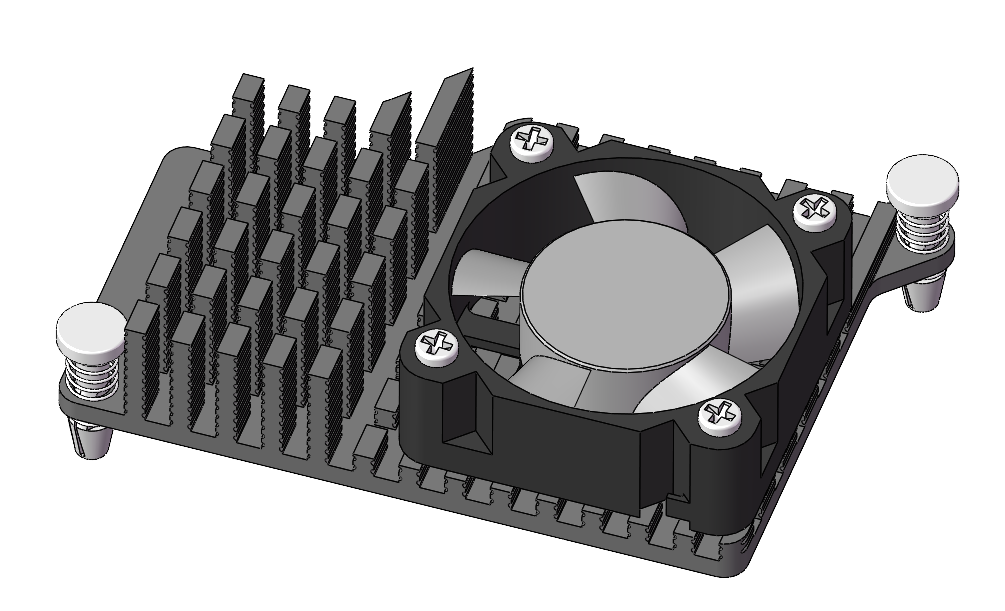
Regarding cooling solutions for the Raspberry Pi 5, especially under heavy load, the design of the Pironman 5 NAS incorporates a smart cooling system. It features a primary Active Cooler (active cooler) and a supplementary RGB fan. The cooling strategy is closely integrated with the Raspberry Pi 5’s thermal management system.
The Active Cooler’s operation is based on the Raspberry Pi 5’s temperature:
Below 50°C, the Active Cooler remains off (0% speed).
At 50°C, the fan starts at a low speed (30% speed).
Reaching 60°C, the fan increases to a medium speed (50% speed).
At 67.5°C, the fan ramps up to a high speed (70% speed).
At 75°C and above, the fan operates at full speed (100% speed).
This temperature-to-speed relationship also applies when the temperature decreases, with a 5°C hysteresis. The fan speed reduces when the temperature falls 5°C below each of these thresholds.
Commands to monitor the Active Cooler. To check the Active Cooler’s status:
cat /sys/class/thermal/cooling_device0/cur_stateTo view the Active Cooler’s speed:
cat /sys/devices/platform/cooling_fan/hwmon/*/fan1_input
In the Pironman 5 NAS, the Active Cooler is a critical component for maintaining optimal operating temperatures, particularly during intensive tasks, ensuring the Raspberry Pi 5 runs efficiently and reliably.
PWM Fan
The PWM fan on the Pironman 5 is controlled by the Raspberry Pi system.
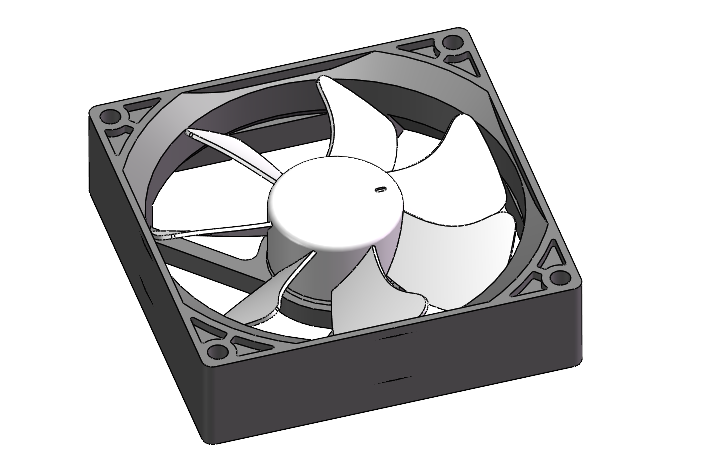
Regarding cooling solutions for the Raspberry Pi 5, especially under heavy load, the design of the Pironman 5 incorporates a smart cooling system. It features a primary PWM fan and two supplementary RGB fans. The cooling strategy is closely integrated with the Raspberry Pi 5’s thermal management system.
The PWM fan’s operation is based on the Raspberry Pi 5’s temperature:
Below 50°C, the PWM fan remains off (0% speed).
At 50°C, the fan starts at a low speed (30% speed).
Reaching 60°C, the fan increases to a medium speed (50% speed).
At 67.5°C, the fan ramps up to a high speed (70% speed).
At 75°C and above, the fan operates at full speed (100% speed).
This temperature-to-speed relationship also applies when the temperature decreases, with a 5°C hysteresis. The fan speed reduces when the temperature falls 5°C below each of these thresholds.
Commands to monitor the PWM fan. To check the PWM fan’s status:
cat /sys/class/thermal/cooling_device0/cur_stateTo view the PWM fan’s speed:
cat /sys/devices/platform/cooling_fan/hwmon/*/fan1_input
In the Pironman 5, the PWM fan is a critical component for maintaining optimal operating temperatures, particularly during intensive tasks, ensuring the Raspberry Pi 5 runs efficiently and reliably.